Category Archives: VCF 9

vCenter Linking in VCF 9 – The New Shiny ELM

By | 30. July 2025

So, you’ve upgraded (or are thinking about upgrading) to VCF 9.0, and someone drops this bombshell: “Hey… ELM is gone.” Yep. That’s right. Enhanced Linked Mode is officially out in VCF 9. But don’t panic! You still get ELM-like magic with a shiny new feature called vCenter Linking just with a few differences and one… Read More »

VCF Automation 9 – Provisioning a VM through Kubernetes CLI

By | 30. July 2025

With the improvements of VCF Automation 9 it now includes a new model which supports developer consumer use cases. In context of the tenancy architecture, it provides 2 different types of organizations: VM-Apps-OrgAn organization which is almost identical to what is known from 8.x versions of Aria Automation. Its main purpose is to support VM-based… Read More »

VCF Automation 9 – Custom resource with “new schema”

By | 25. July 2025

A while ago I created a blog about creating a customer resource using Aria Orchestrator dynamic types. The example taken was a simple link management solution which leverages the Orchestrator configuration items. In this blog I will use the same example but in a different way. VCF Automation 9 has introduced a “new schema” type… Read More »

VCF Automation 9 – External VCF Operations Orchestrator

By | 23. July 2025

VCF Automation 9 introduced 2 types of organizations: VM-Apps-Organization and All-Apps-Organization. The VM-Apps-Organization is almost identical to the 8.x version of Aria Automation and can use the embedded or an external Orchestrator. The All-Apps-Organization is a completely new architecture which relies on Kubernetes APIs. It can use Orchestrator for extensibility, custom resources and other functions… Read More »

VCF Workload Domain Setup from a network perspective

By | 2. June 2025

VMware Cloud Foundation (VCF for short) is a full-stack Infrastructure-as-a-Service (IaaS) platform that offers software-defined compute, storage, networking, security, and management.

Workload domains are created, configured, and managed using the SDDC Manager.

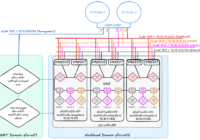
For the installation and management of a workload domain in VCF to work smoothly, a few infrastructure requirements must first be met. This article focuses on the data center network parameters. I also assume that the management domain has already been created using the SDDC Manager.