


So, you’ve upgraded (or are thinking about upgrading) to VCF 9.0, and someone drops this bombshell:
“Hey… ELM is gone.”
Yep. That’s right. Enhanced Linked Mode is officially out in VCF 9.
But don’t panic! You still get ELM-like magic with a shiny new feature called vCenter Linking just with a few differences and one tiny catch:
You can’t just set it up in vCenter like the old days. It’s done through VCF Operations, and it needs a common identity source.
Let’s break it down before you break your Deployment (or your spirit).
First Things First: ELM is still in vSphere 9
Yup, if you’re just using vSphere 9 (no VCF), ELM is still a thing.
But the moment you embrace the VCF 9 life?
You’ve gotta say goodbye to ELM and say hello to vCenter Linking—the newer, sleeker, VCF-approved way to see all your vCenters in one login.
Step 1: Configure VCF Identity Provider
Before your vCenters can hold hands and sing Kumbaya, they need a common SSO login.
Here’s how:
- Head over to VMware Cloud Foundation Operations.
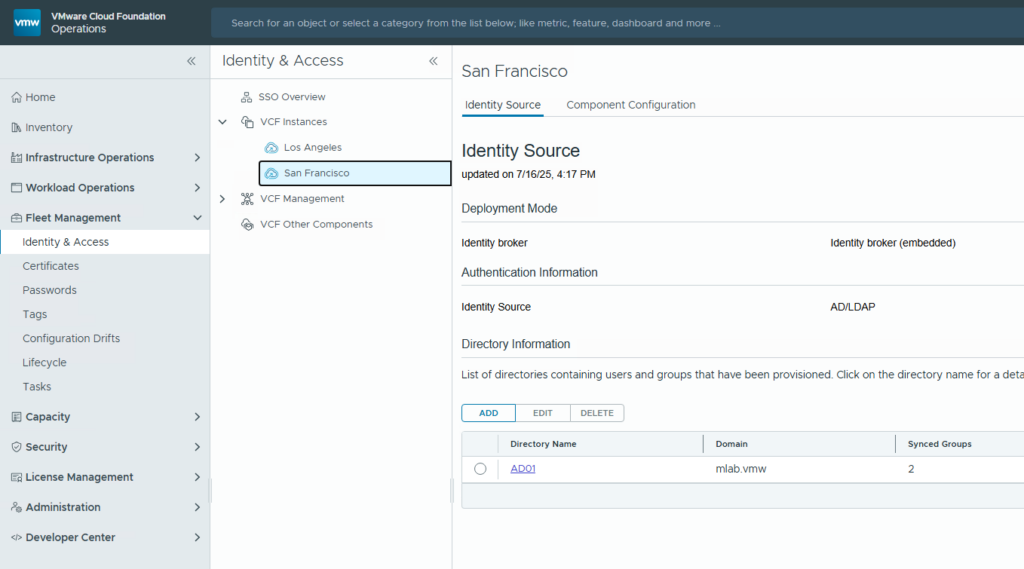
- Go to Fleet Management → Identity & Access.
- Click through the wizard to set up your Identity Provider
Once that’s done, all your vCenters in VCF can share one identity source.
This is what makes the magic work. No common identity = no linking = no fun.
Step 2: Configure a vCenter Linking Group
Now that everyone shares the same login, time to link up your vCenters.
Do this:
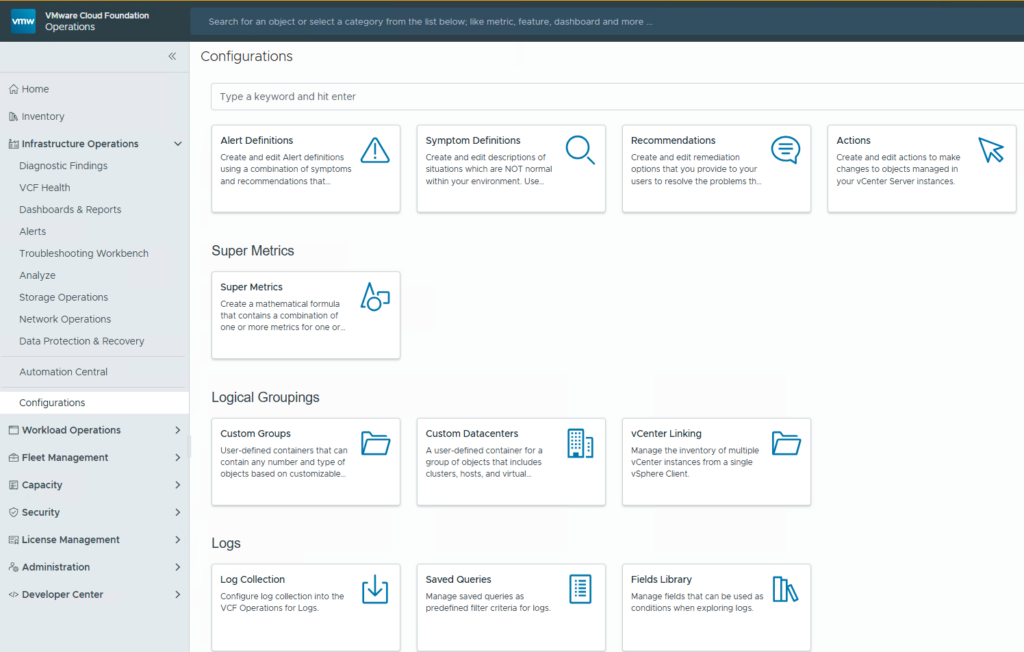
Navigate to Infrastructure Operations → Configurations → vCenter Linking
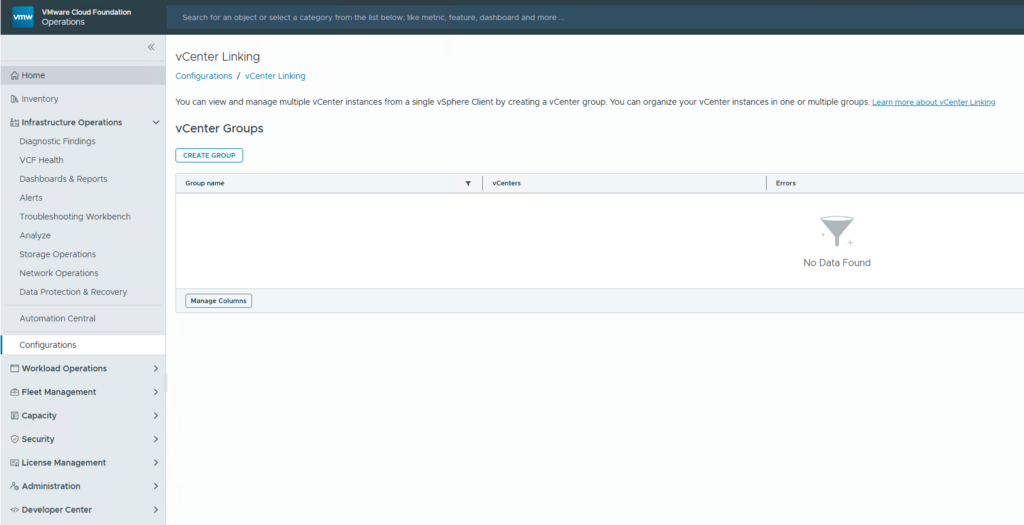
Click “create Group” to create a new linking group.
Follow the wizard:
Give it a name (no, not “test-link-01”, future you will be annoyed).
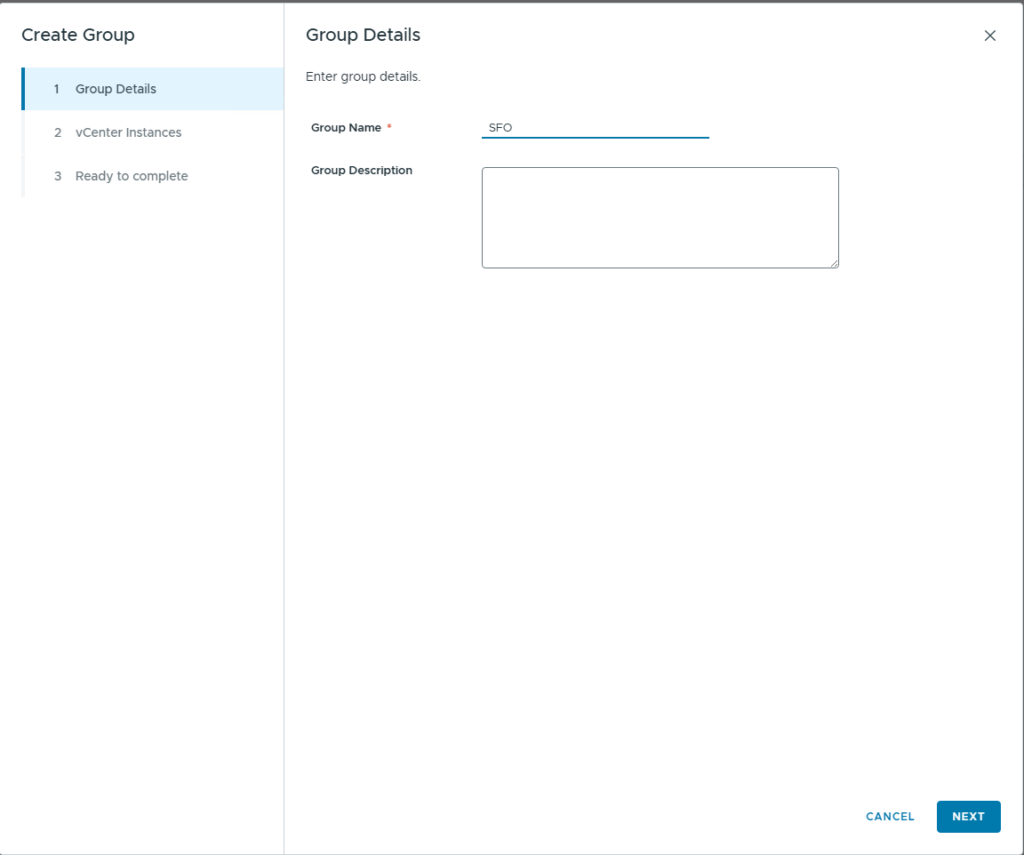
Select 2 or more vCenters.
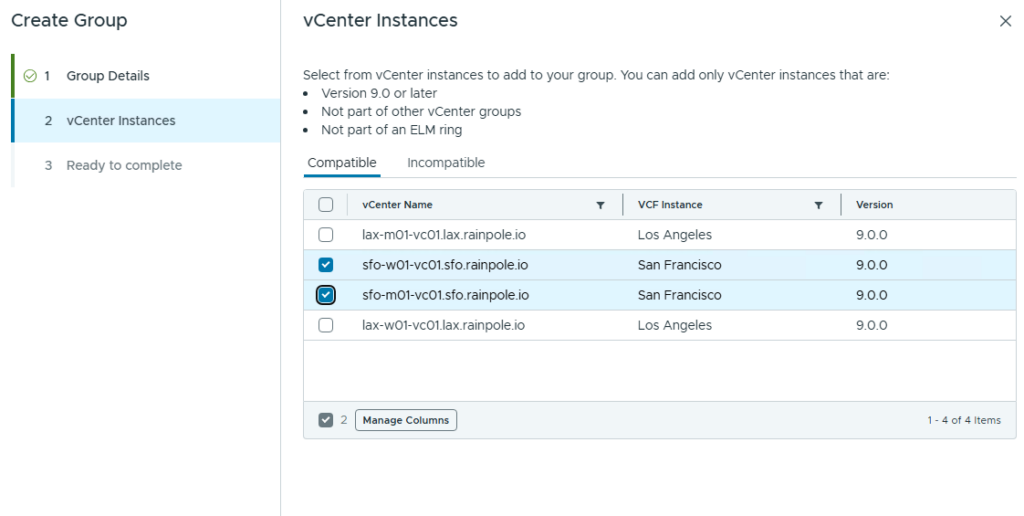
Make sure they’re all using the identity provider you configured earlier.
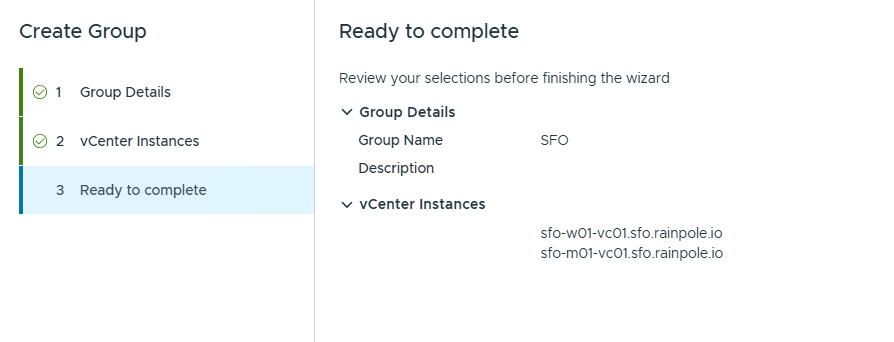
Boom. You’ve created your vCenter Linking Group.
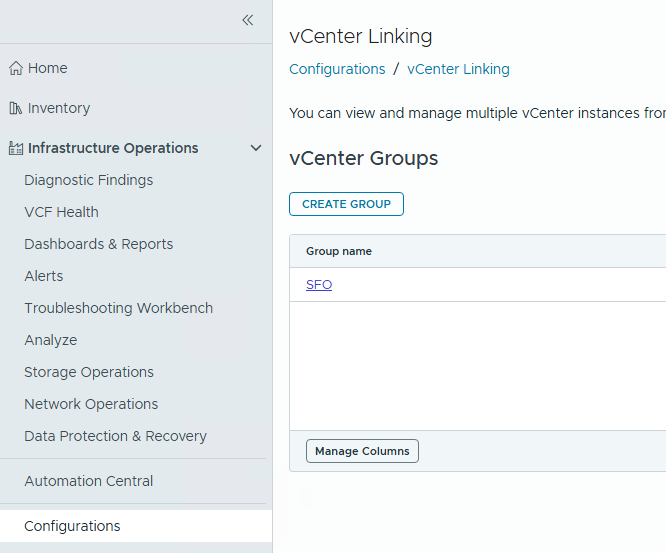
Click on it to see more Details:
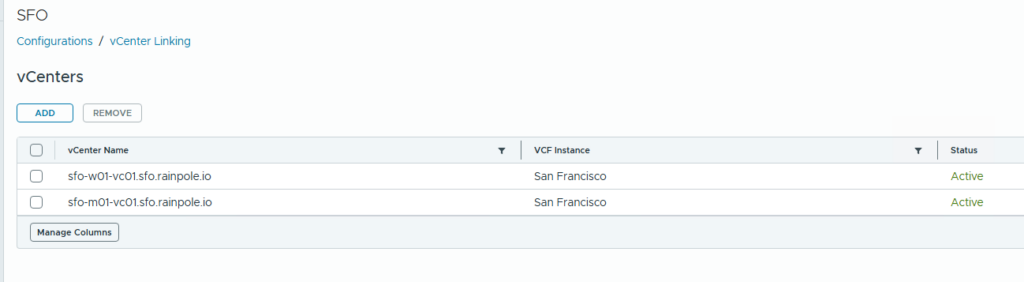
Step 3: Log into Your Mgmt vCenter (The Grand Reveal)
Here comes the fun part.
- Open your Mgmt vCenter.
- Log in using your VCF SSO account (from that fancy identity provider you set up).
- And voila! 🎉
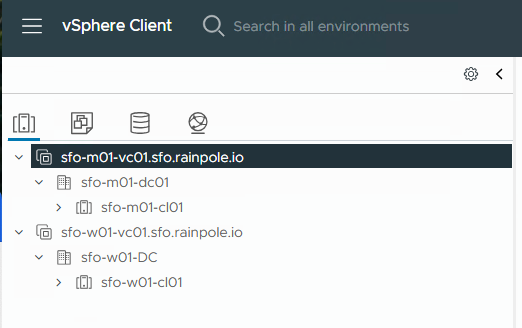
You’ll see all your vCenters listed in the UI—just like the good ol’ ELM days.
Before you go crazy:
Make sure the same user/group has rights in each vCenter.
Otherwise, some vCenters might play hide-and-seek in the UI.
Things to Keep in Mind
- ELM != vCenter Linking.
Different backend, same result. - vCenter Linking is managed in VCF Operations, not in vSphere directly.
- This is the new standard. If you’re using VCF 9, this is your go-to for single-pane-of-glass vCenter goodness.
vCenter Linking might not be exactly like ELM, but it gets the job done and it’s built to scale with VCF’s future. So while we say goodbye to one legacy feature, we welcome a new one with fewer quirks (we hope).
And hey, one login to rule them all is still a win in my book.

- Help! I Joined the Wrong Identity Broker… (How to Unjoin an Identity Broker in VCF 9) - 15. September 2025
- Deploying a Three-Zone Supervisor in VCF 9.0.0 (Or: How I Learned to Stop Worrying and Love the API) - 31. July 2025
- How to Add a Cluster to a Workload Domain in VCF 9.0.0 (Yes, It’s Weird Right Now) - 30. July 2025
Pingback: VVF 9 – Ultimate Upgrade Guide – Leaha's Blog
Pingback: VCF 9 – Ultimate Upgrade Guide – Leaha's Blog