


The VCF Automation All-Apps-Org provisions and manages resources through the vSphere Supervisor Service. This means all resources will be deployed as Kubernetes resources with a Kubernetes-based yaml file and related parameters. The consumption can be done directly using the Kubernetes interface of VCF Automation or services can be exposed in the catalog. With the catalog, customers benefit from a more controlled service offering. At the same time, they might want to let the consumer choose from some of the Kubernetes parameters available for provisioning. As an example: Consumers could attach labels to their provisioned resources which reference the application used. On subsequent provisioning it might be helpful to have a dropdown for selecting labels already used before.
With the help of my “friend” I created an Orchestrator workflow which reads all used labels from a Supervisor namespace, consolidates them and returns them back as an array. The action will retrieve this data dynamically and populate a dropdown for the consumers when they open their request form.
You can easily customize the workflow or any other use case. It’s intended to be an example for the dynamic retrieval of Kubernetes parameters.
Prerequisites
Following configurations are required to use the solution:
- VCF Automation 9.x with at least 1 All-Apps-Org
- External VCF Operations Orchestrator integrated with All-Apps-Org
- VM deployed in namespace where a label is used
Linux-based Jump-VM with vcf cli and kubectl cli is installed and reachable over network per SSH (e.g. Ubuntu 24.04). Refer to the official documentation how to install kubectl:
https://kubernetes.io/docs/tasks/tools/install-kubectl-linux/#install-using-native-package-management
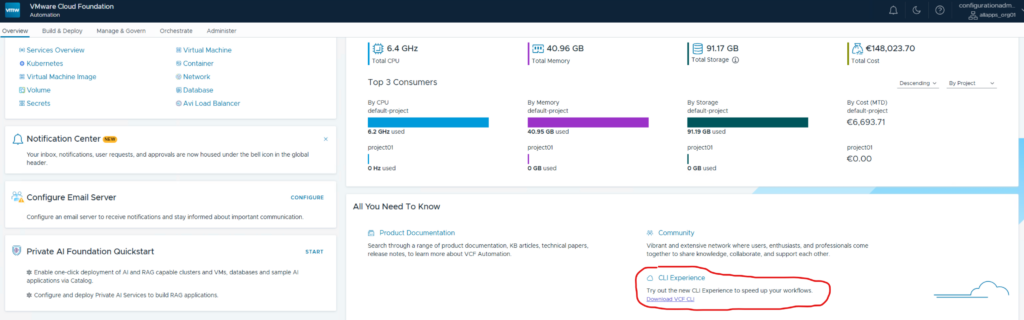
For vcf cli you can download it from the overview page of the All-Apps-Org. I’d recommend storing kubectl and vcf commands in a search path like /usr/bin.
Installation of the solution
- Download the Orchestrator action package
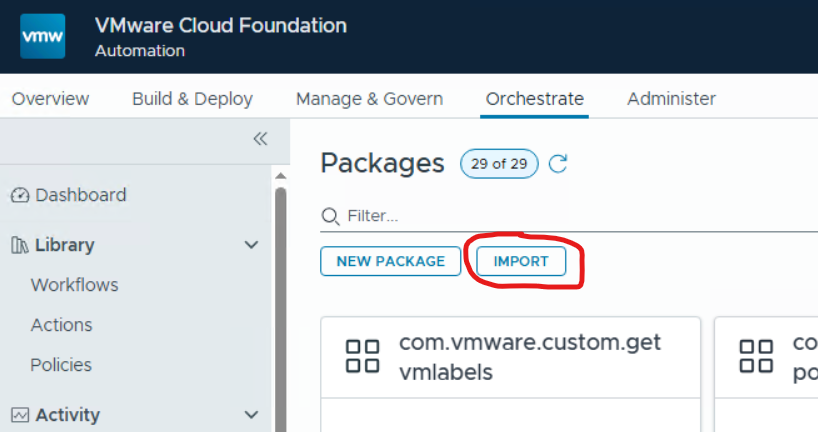
- Unpack the Orchestrator action package and import it into VCF Operations Orchestrator
- Customize the parameters of the Orchestrator action to match your environment
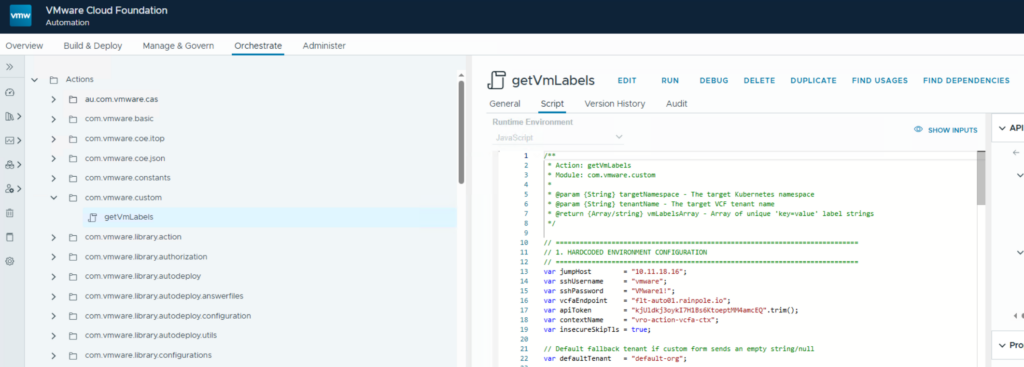
| jumpHost | IP of the jump Linux VM |
| sshUsername | Username to access the VM (the script will automatically try to sudo if needed) |
| sshPassword | Password of the SSH user |
| vcfaEndpoint | FQDN of VCF Automation |
| apiToken | VCF Automation token of an administrative user (can be retrieved from the UI). This is used to create a vcf cli context and get access to the proper namespace. |
| contextName | Random name of the context created dynamically |
| insecureSkipTls | Accept non-verified TLS access |
| defaultTenant | Typically not used. Just in case the action does not get a tenant org name. |
- Save the Action.
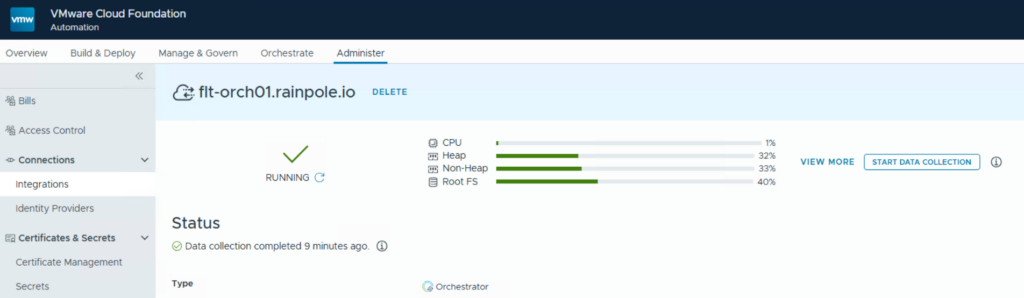
- Manually start Orchestrator data collection to make sure the action shows up correctly.
- Create a new blueprint with the content below.
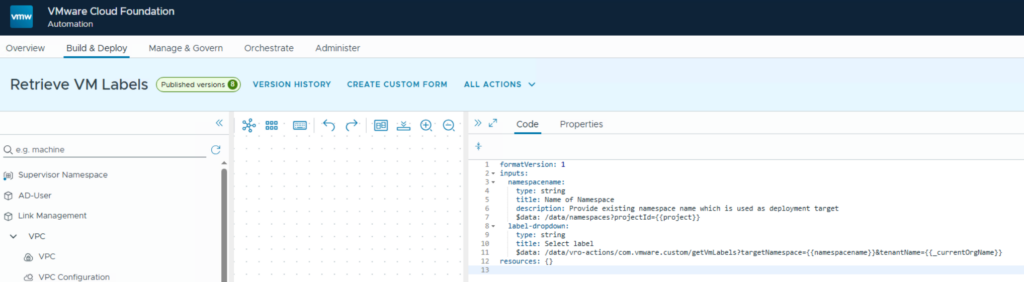
formatVersion: 1
inputs:
  namespacename:
    type: string
    title: Name of Namespace
    description: Provide existing namespace name which is used as deployment target
    $data: /data/namespaces?projectId={{project}}
  label-dropdown:
    type: string
    title: Select label
    $data: /data/vro-actions/com.vmware.custom/getVmLabels?targetNamespace={{namespacename}}&tenantName={{_currentOrgName}}
resources: {}
- Test the blueprint
When running a test in the blueprint designer, it should list all available namespaces. After selection of a namespace, the Orchestrator action is executed and will populate all available labels.
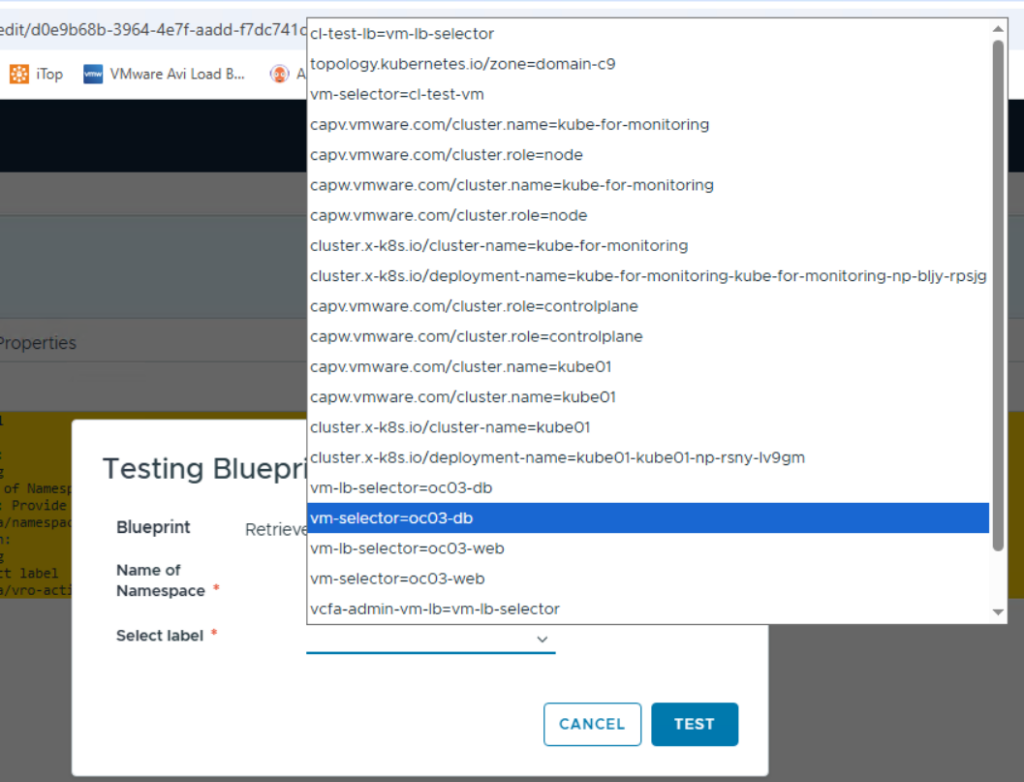
Note: If you want to publish this blueprint to the catalog, VCF 9.1 will throw an error as the organization name is not handed over correctly. To work this around you can hard-code the organization name in the blueprint input rather than using a variable. This will be fixed in a future version.
Have fun!

- VCF Automation 9 – Present Kubernetes labels as dropdown - 18. August 2026
- VCF 9 – Automated Offline Depot Server Creation - 19. May 2026
- VCF Automation 9 – Content Libraries - 18. May 2026
Useful summary, these details are usually the ones missing.