


There are many VMware users who are still using pure vSphere environments and now want to switch to VCF. This can also lead to constellations where an upgrade to vSphere 9 (vCenter and ESX) is not planned or possible. Nevertheless, it is possible to import the vSphere 8 environments and operate and manage them as new workload domains in VCF 9. In this blog we will go through the necessary steps on how to import a vSphere 8 environment as a new workload domain in VCf 9.
Prerequisites:
- VCF 9.0 fleet (management workload domain) incl. VCF Operations from which to perform the import
- vCenter 8.0 Update1
- ESX 8.0 Update 1
- NSX Manager 4.1.0.2 (optional)
- Enough free space fort he full deployment of VCF
- Virtual Distributed Switch (VDS) 8.0 or later
- Cluster with DRS enabled
- Clusters using vSphere Configuration Profiles
- Clusters using vSphere Lifecycle Manager images
Import an Existing vCenter:
In VCF Operations go to Inventory and choose the Instance where you want to import the vCenter. Click on “ADD WORKLOAD DOMAIN” and choose “Import a vCenter”:

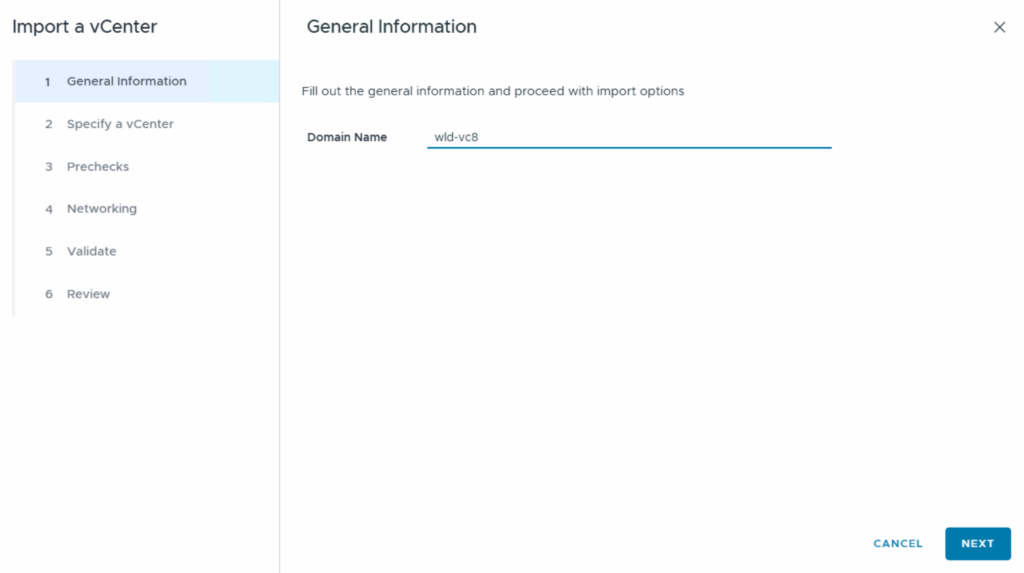
Define the Domain Name:
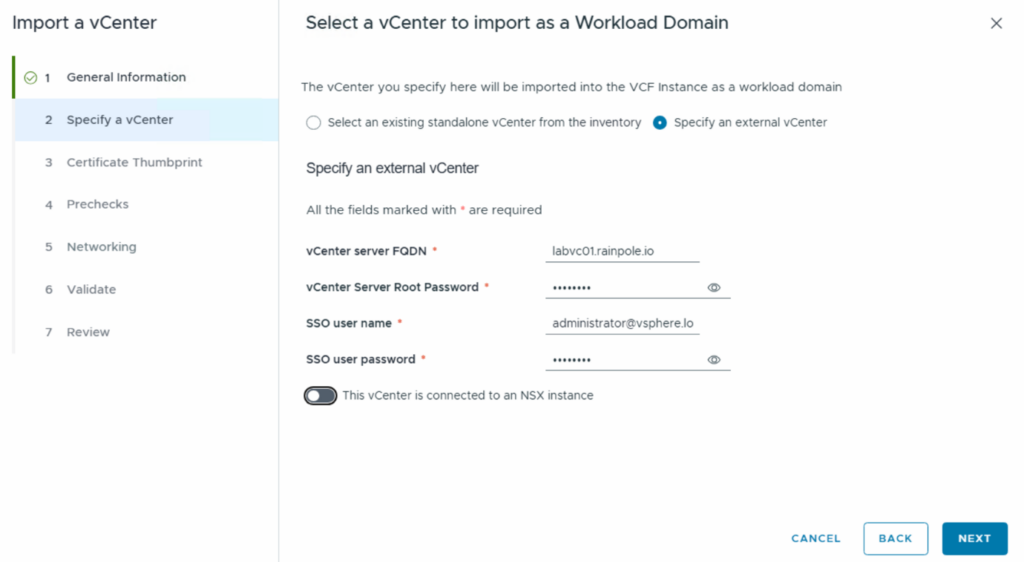
Choose „Specify an external vCenter“ and enter the required vCenter data. You can use a slider to select whether the vCenter is already connected to an NSX instance:
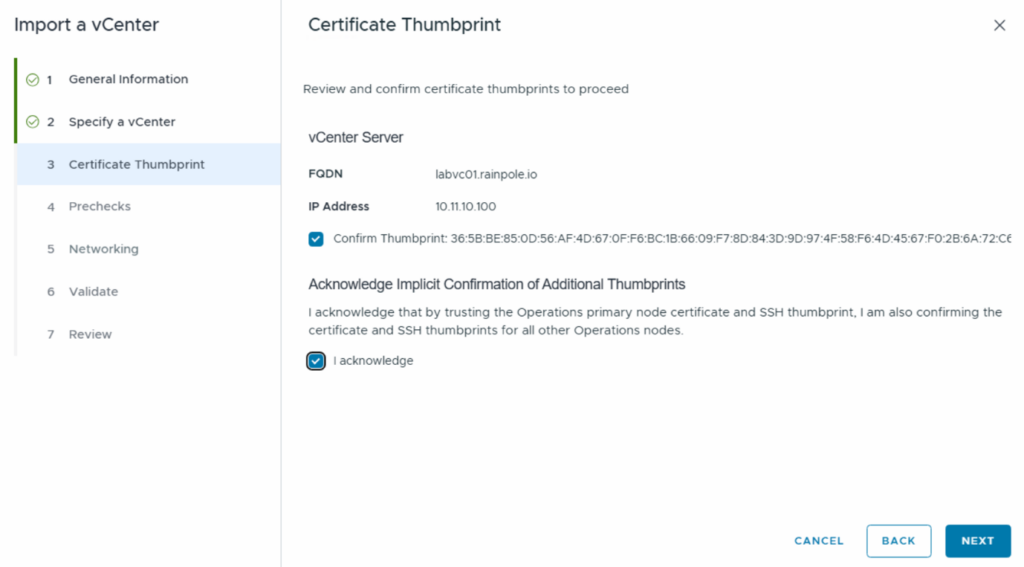
Confirm the Certificate Thumbprint:
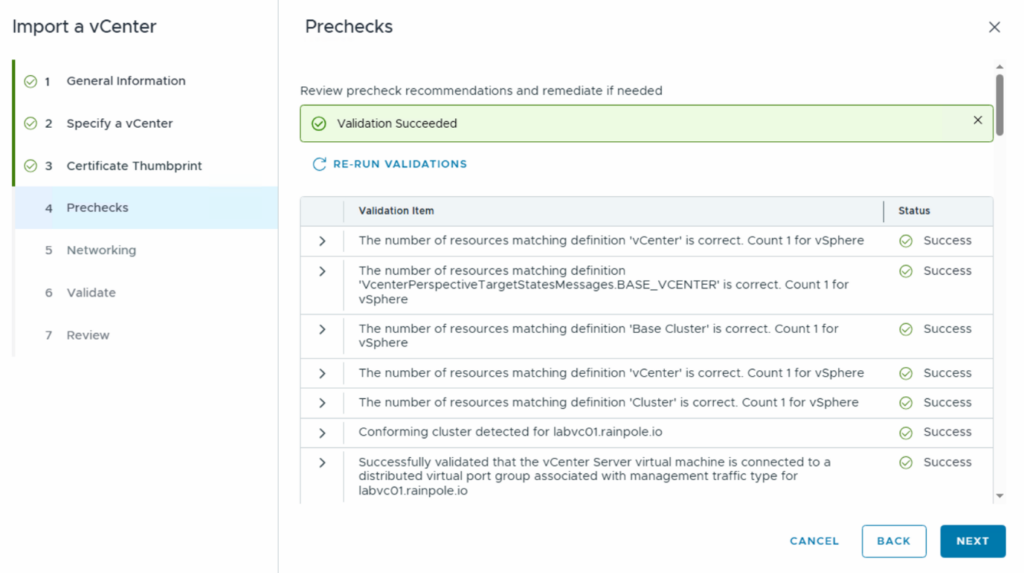
Run the Prechecks:
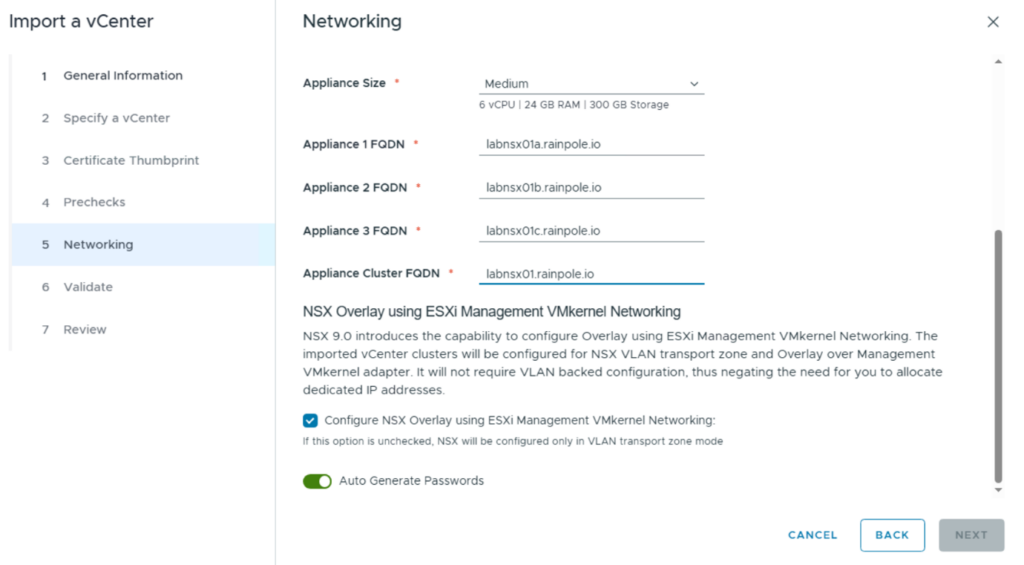
Because our vCenter is not connected to a NSX instance we can now choose if we want to create a new NSX Manager instance or join an existing NSX Manager instance. In our example we create a new NSX Manager Cluster (Single NSX Manager Appliance is not possible for vSphere 8 environments). Choose the Size and the FQDN for the Appliances (DNS lookup is checked). NSX will be installed and a transport zone generated. There’s no disruption to your existing operation as no TEP (tunnel endpoints), edges, segments etc. are configured automatically.

You also need a FQDN for the Cluster. Finally you can choose if an NSX Overlay should be created and if the Passwords will be auto generated:
We need the Binaries for the NSX installation. You can start the download under Fleet Management/Lifecycle. Choose the right VCF Instance and go to Binary Management. You can find and download the right NSX Version 4.2.1.4.0 under VCF Version 5.2 “Install Binaries”:

After the Validation and the Review you can start the deployment. This could take some time. Especially the NSX installation is time consuming:
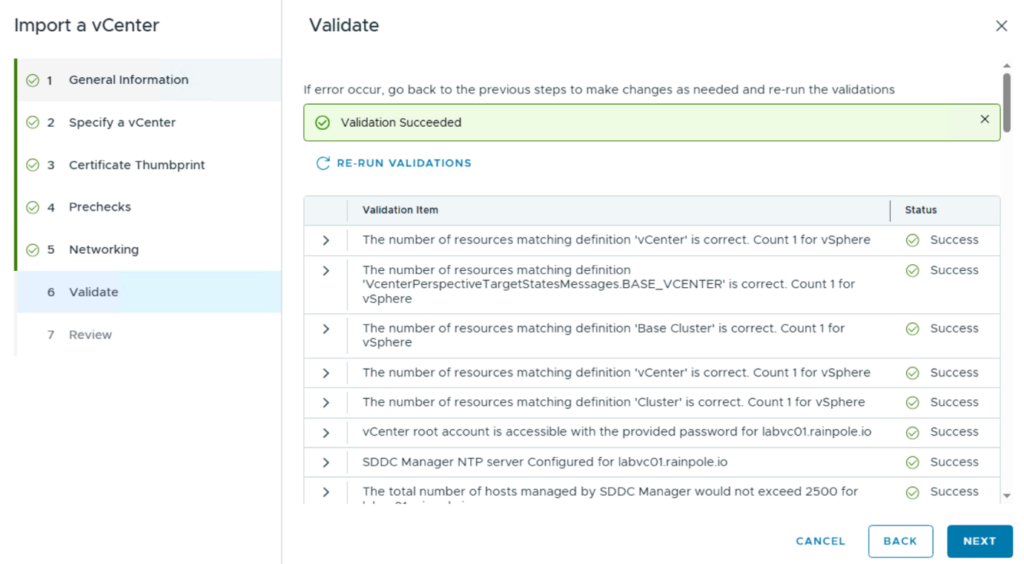
After the deployment:
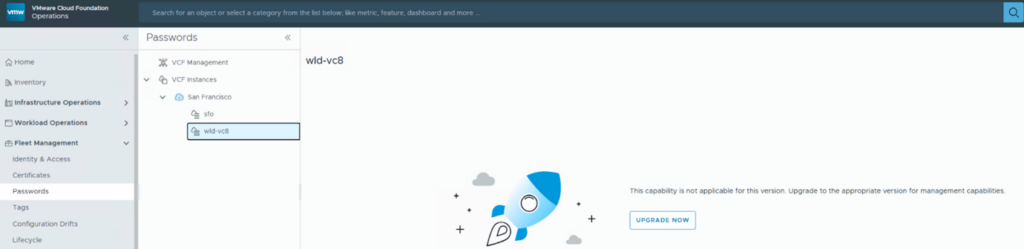
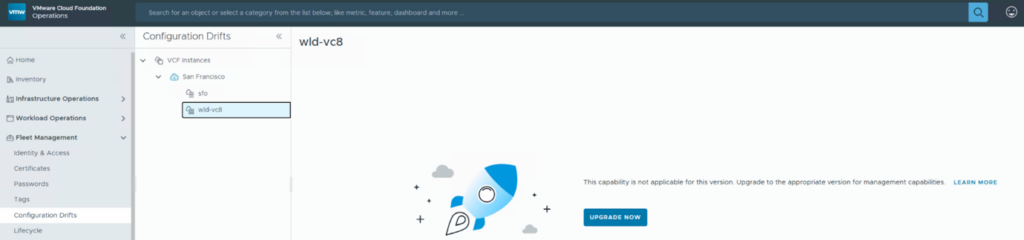
Let´s check which management functionalities from VCF 9 are available for the new Workload Domain. In general, VCF 5.x environments don’t have fleet management which is why below parts are disable until the vSphere/vCenter will be upgrade to 9.0.
Certificate Management:

Password Management:
Configuration Drifts:
Tag Managment (new Workload Domain not listed):
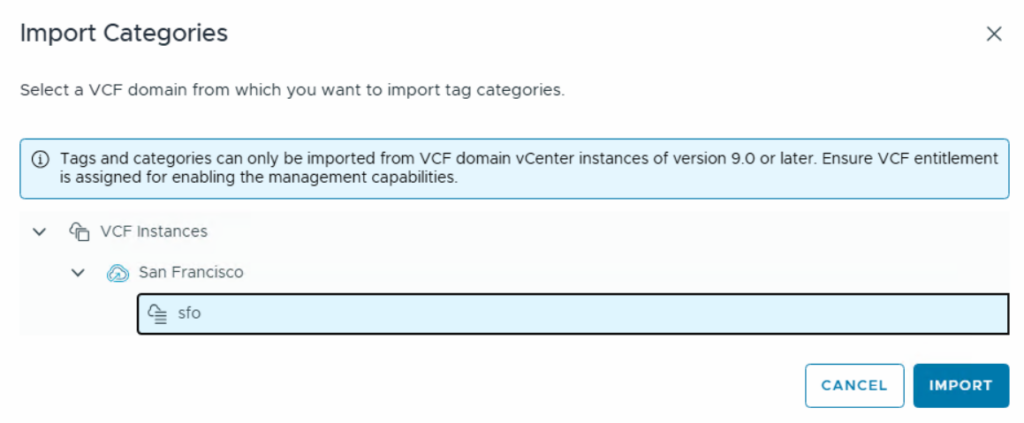
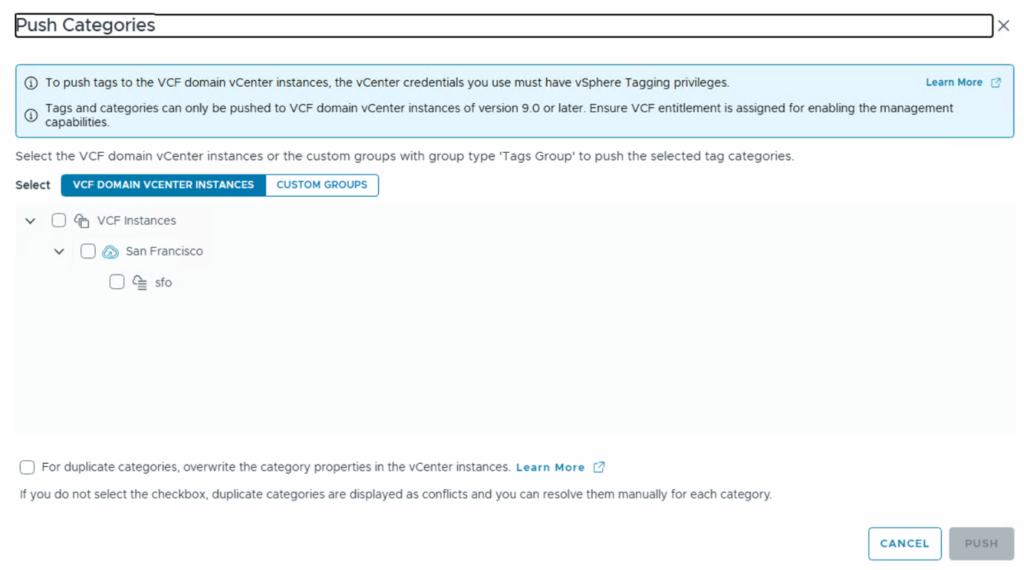
And here are the management integrations that also work with the new workload domain based on VCF 5
License Management (can be found under License/Pre-Version 9):
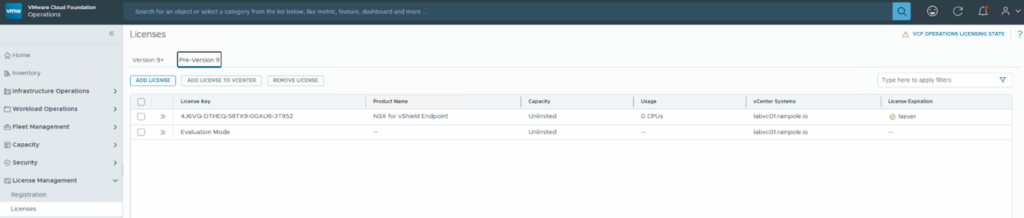
VCF Management Integration for the Monitoring functionalities (automatically configured) :

and of course one of the most important functions, the Lifecycle Management of the VCF environment:
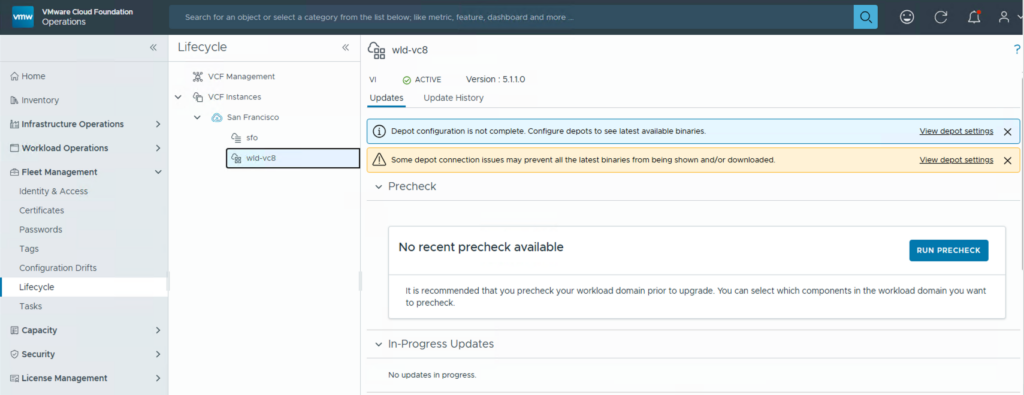
It would of course also be possible to update to VCF 9 via the Lifecycle Management in order to be able to use the full range of functions.
Have fun!

- VCF Automation 9 – Automating Microsoft DNS Entries for VMs via ExternalDNS Service in Supervisor - 6. February 2026
- Installing and Configuring VMware Data Services Manager 9.0.1 on VMware Cloud Foundation 9.0.1 with VCF Automation Integration. - 31. October 2025
- VCF9 – VCF Operations and VCF Operations for Logs installation/configuration without VCF Installer - 6. August 2025
Unfortunately we cannot upgrade to VCF 9 due to the deprecation of VVOLS. We run Pure storage arrays and make use the snapshot functionality on our environment and we rely heavily on the VVOLs for our snapshotting solution. Such a pity though.
Hello Christian, when you mention that (Single NSX Manager Appliance is not possible for vSphere 8 environments). Is this even when the GUI has an option to deploy a single NSX manager appliance? is this option not available?
Hi Andre, this is a limitation of VCF 5.x, and you will need 3 NSX Managers. I believe you will receive an error in PreCheck. I encountered this issue during one of my attempts. CU, Christian