


As part of the VCF 9 deployment it is essential to establish a management domain which includes VCF Operations, Fleet Manager and SDDC Manager for lifecycle management of the infrastructure and management layer. Customers can decide if they want to build the management domain from ground-up or if they would like to converge an existing vCenter into a management domain. Especially the increasing hardware prices provide a challenge to build-up something from scratch which is why many customers think about converging their existing infrastructure. In VCF 9.0.0 the converge action required to update the underlying vCenter and vSphere platform first to version 9. Depending on the environment size and applications running this can be a time-consuming process which requires a lot of planning.
Since the introduction of VCF 9.0.1 VMware added support for converging a vCenter to a management domain with vCenter 8 Update 3 and vSphere 8 Update 1. Details are described in this article. In essence, this means a vCenter 8 environment can be promoted to a management domain while the update of the infrastructure to version 9 can be done at a latter point in time. One requirement is an existing NSX 4.2.1 installation which however does not need to be configured to be in active use. A new NSX installation on the ESX hosts does not even need a reboot of them.
In this blog I will show the converge process for such a scenario.
Pre-requisites
- vCenter 8.0 Update 3
- Virtual Distributed Switch version min. 7.0.3
- ESX hosts Update 1 or higher
- NSX 4.2.1 HA deployment (3 appliances), virtual IP configured
- VCF installer appliance deployed, started up and repo configured
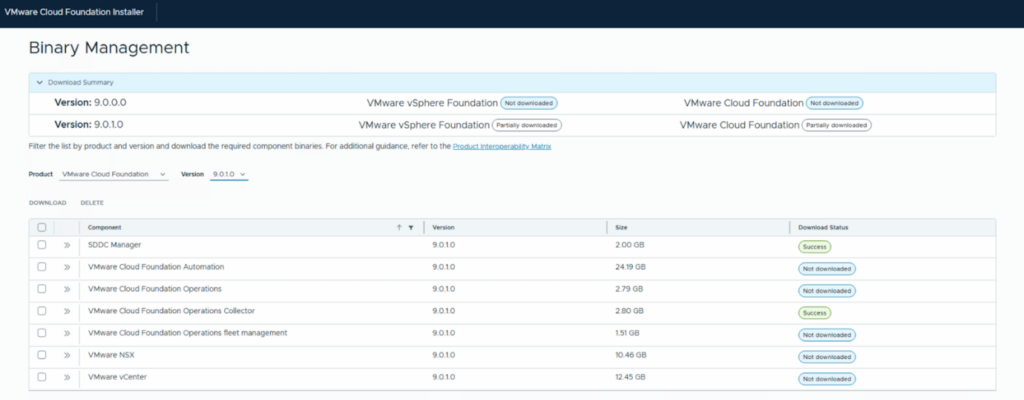
- Installer binaries downloaded for SDDC Manager and VMware Cloud Foundation Operations Collector
- DNS name and IP resolution for VCF Operations Collector appliance
In my configuration I already had an installed and configured VCF Operations 9.0.1 incl. fleet management running. However, there is also the option to let the Installer do that task if there is no existing component.
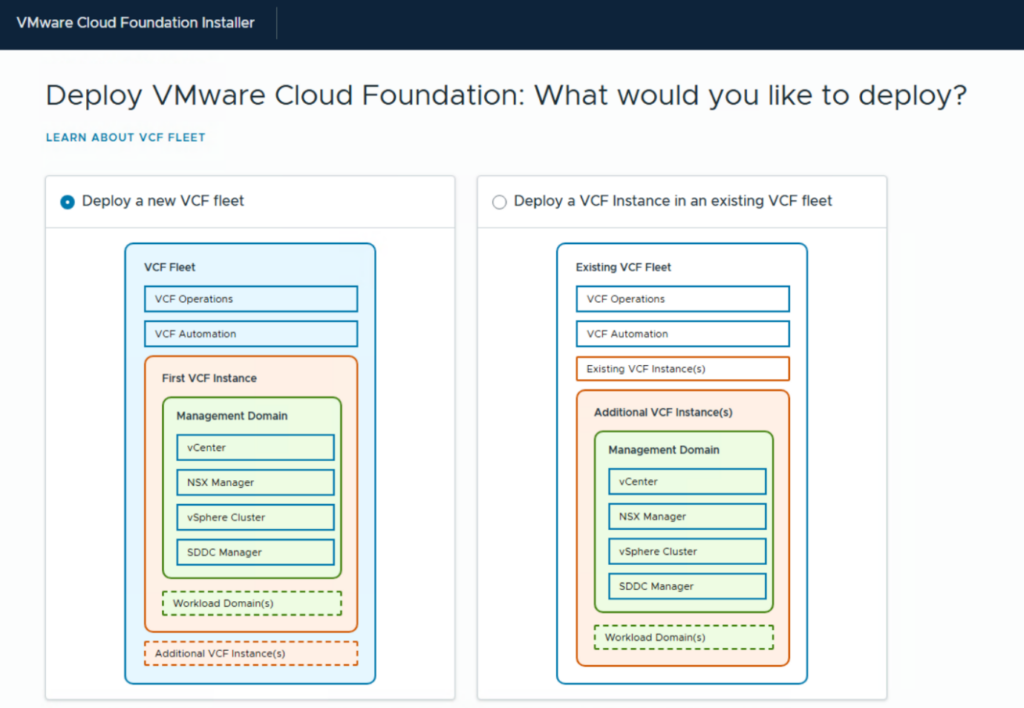
VCF Installer Wizard
Select deployment of a new VCF fleet
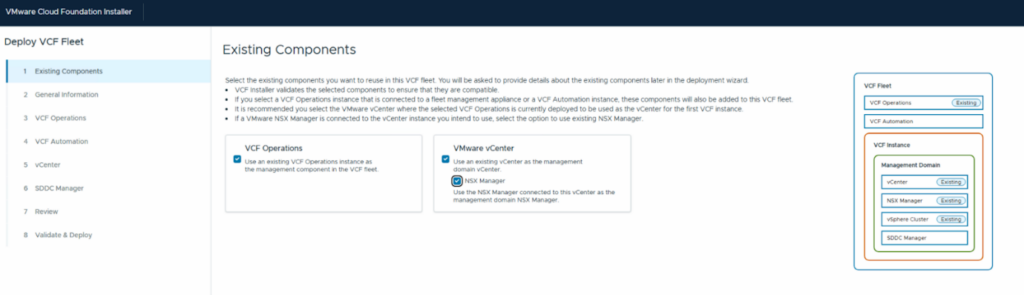
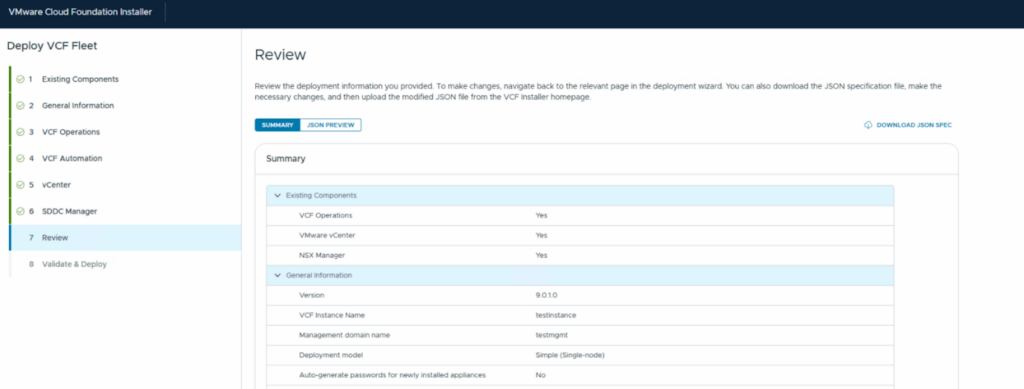
Specify VCF Operations, vCenter and NSX Manager as existing components
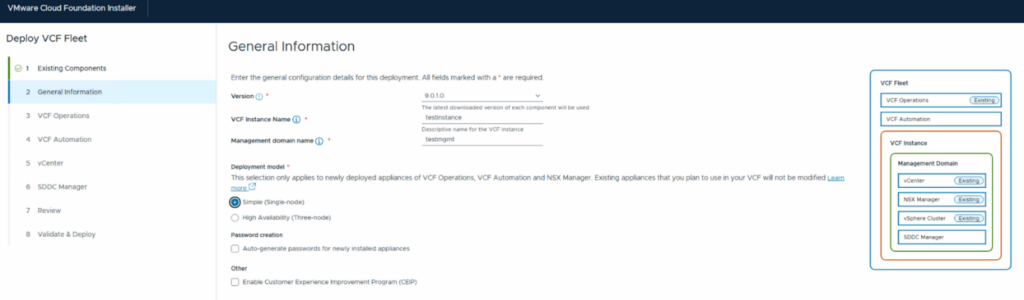
As next step, select the VCF version to be installed and provide names for the VCF instance and management domain. If new appliances shall be deployed, specify the desired deployment model. In my example VCF Operations and NSX manager are already there and VCF Automation will not be deployed which is why this selection has no effect.
For easier troubleshooting in my lab I prefer to not auto-generate passwords.
Specify the details for VCF Operations and accept the thumbprint.
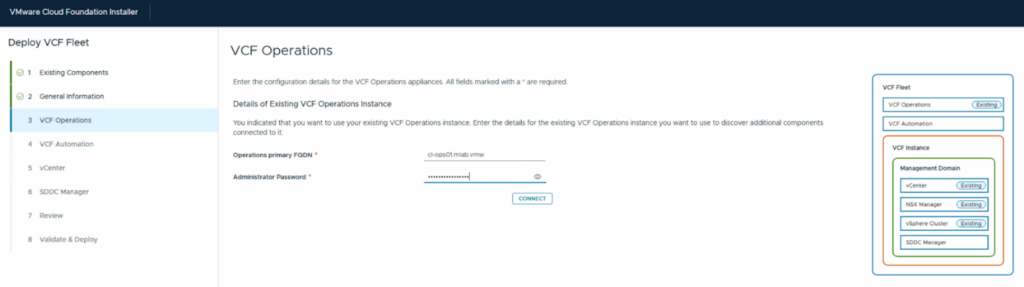
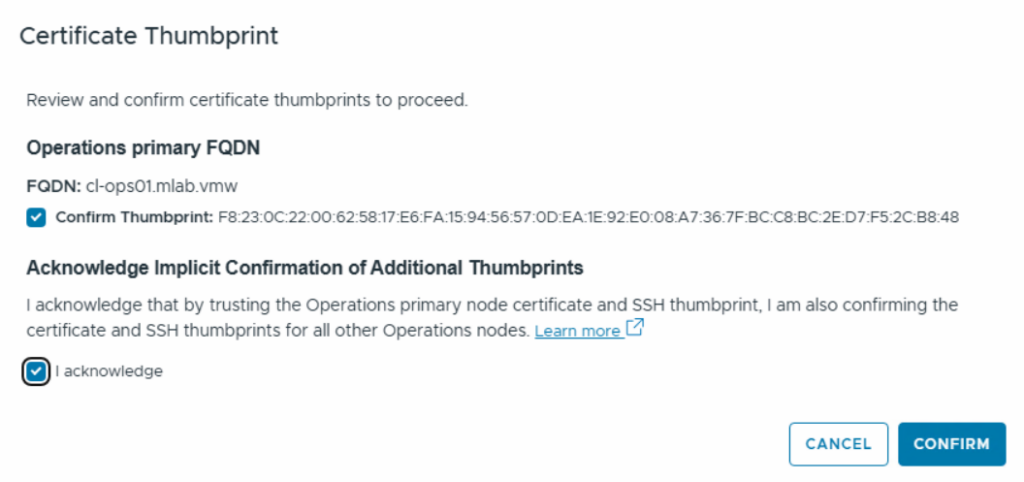
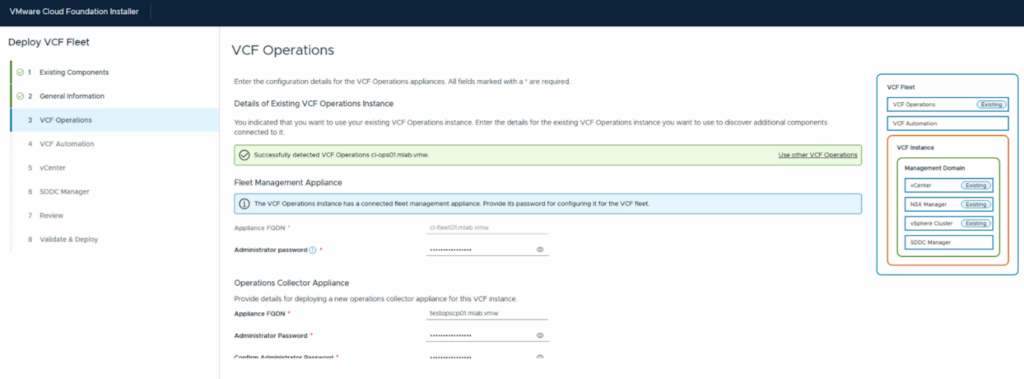
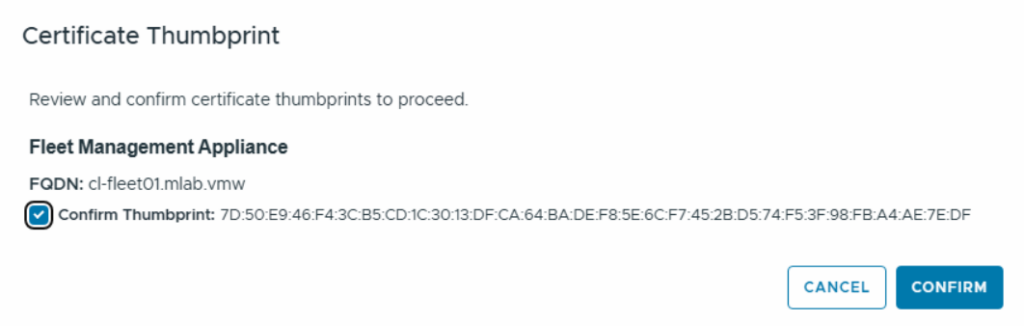
Provide details for the fleet management appliance (existing) and for the Operations Collector Appliance which will be deployed. Accept the thumbprint.
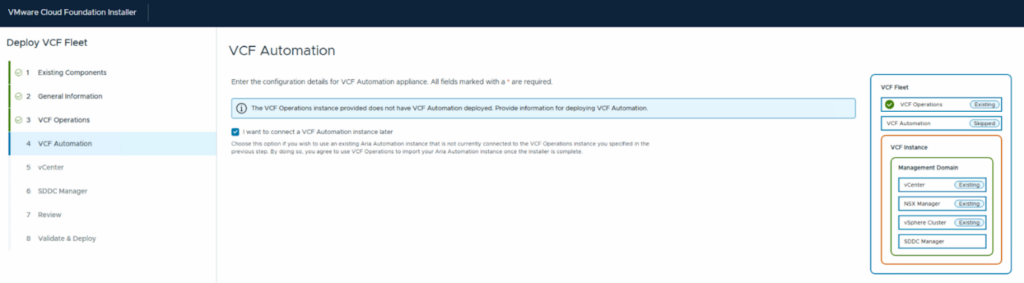
Decide if you want to install VCF Automation now. If you want to do that you must make sure that the binaries have been downloaded.
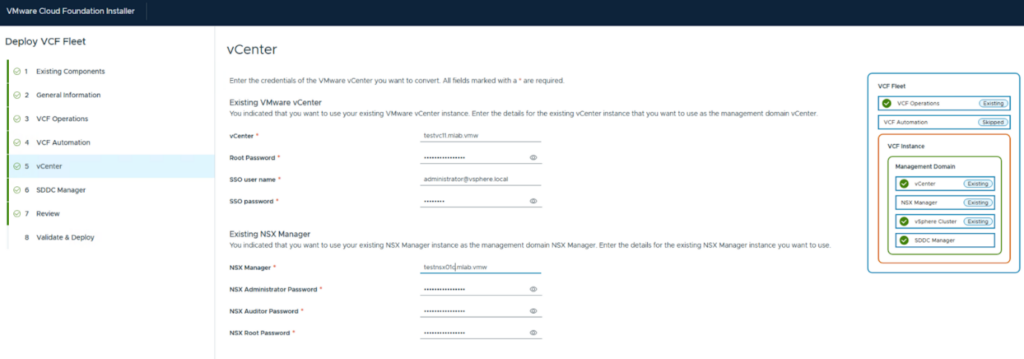
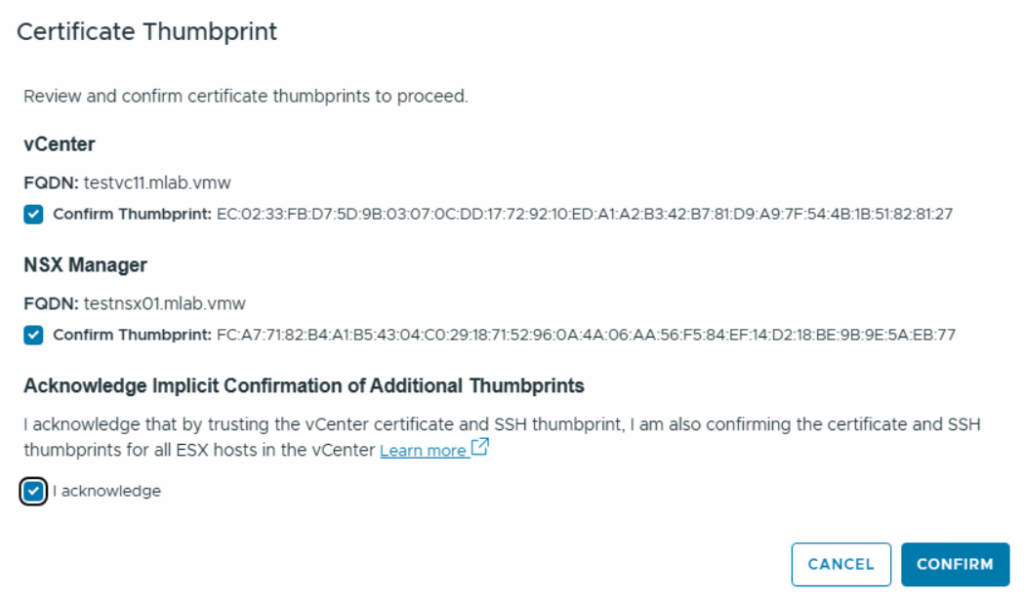
Provide details for the vCenter connection. Make sure your root password has at least 15 letters. Accept the thumbprint.
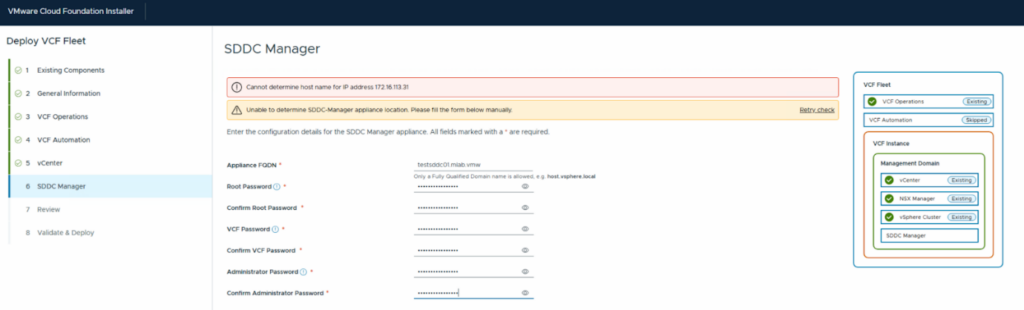
Provide details for the SDDC manager to be deployed.
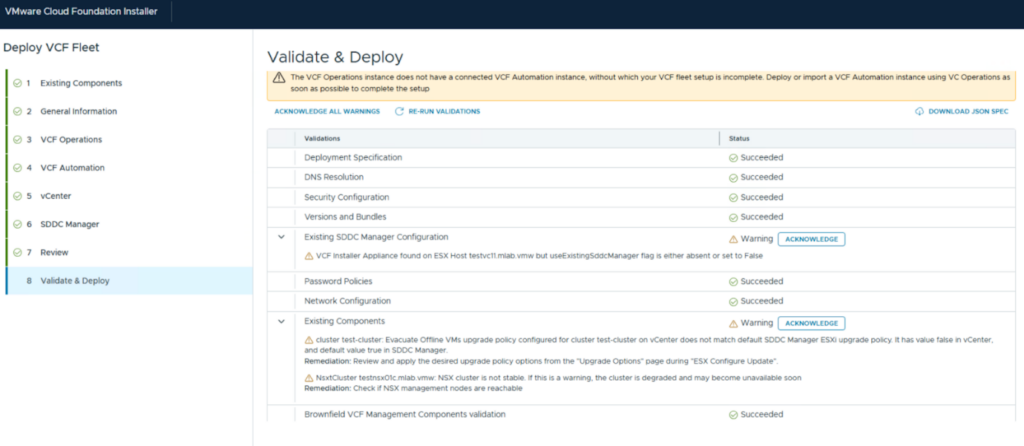
After the summary and validation your VCF 9.0.1 management domain will be created.
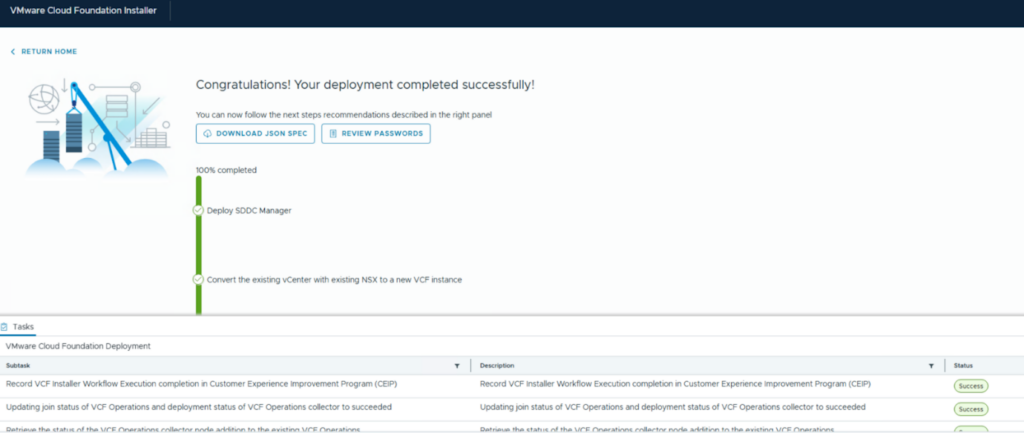
Verify the new management domain
After the installation you can connect to VCF Operations and will see the management domain in the inventory tree of the “Lifecycle” section. The version will show up as 5.1.1.0 for my combination of versions.
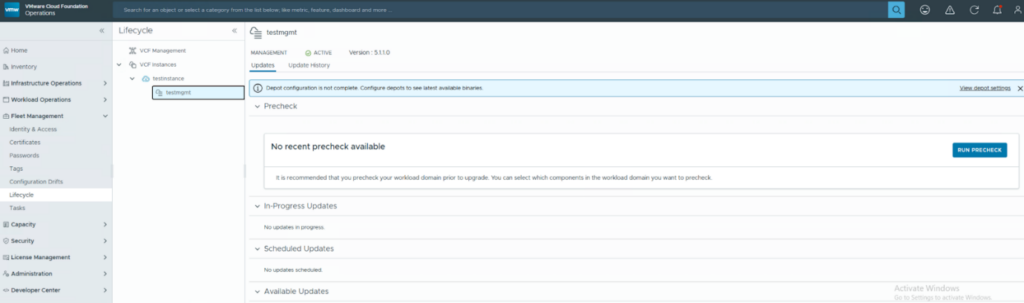
From this point an upgrade to a newer version can be performed whenever time permits.
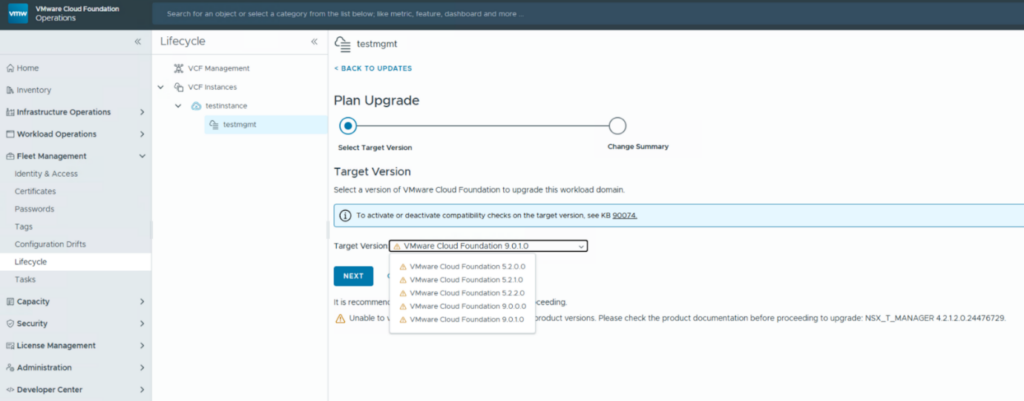
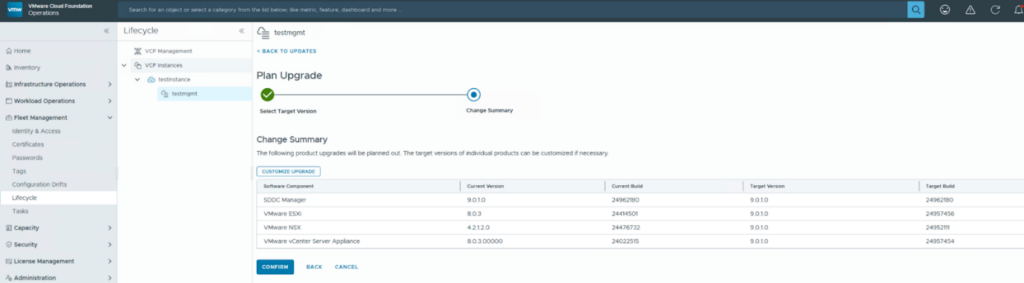
For an upgrade plan you will see the current versions and the target versions of the single components.
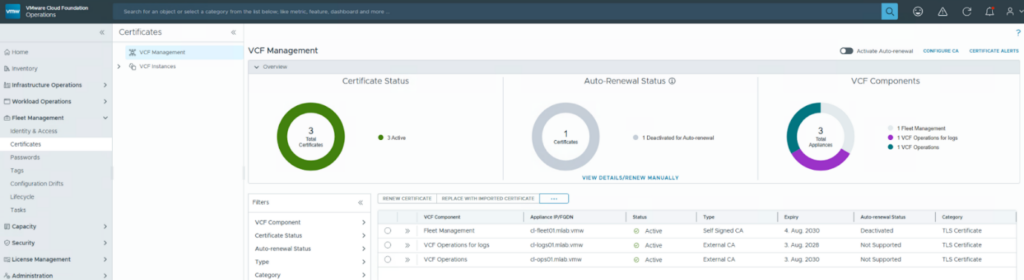
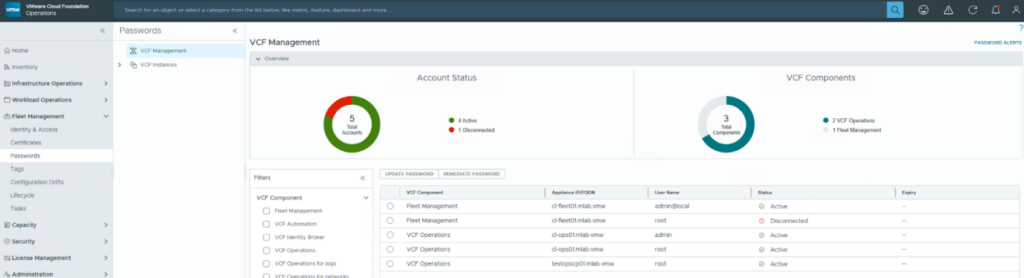
As vSphere 8 does not support most of the new fleet management capabilities – like password and certificate management – you will not see the vCenter and ESX objects in these sections. Only the management components will show up.

- VCF Automation 9 – Present Kubernetes labels as dropdown - 18. August 2026
- VCF 9 – Automated Offline Depot Server Creation - 19. May 2026
- VCF Automation 9 – Content Libraries - 18. May 2026