


With the new All-Apps-Org in VCF Automation 9, the users can provision Kubernetes Clusters (VKS Clusters) leveraging vSphere Kubernetes Services. After provisioning, the Kubernetes Cluster shows up in the Automation UI in the respective Supervisor Namespace. The question however is: How can users access this cluster directly from the CLI using kubectl?
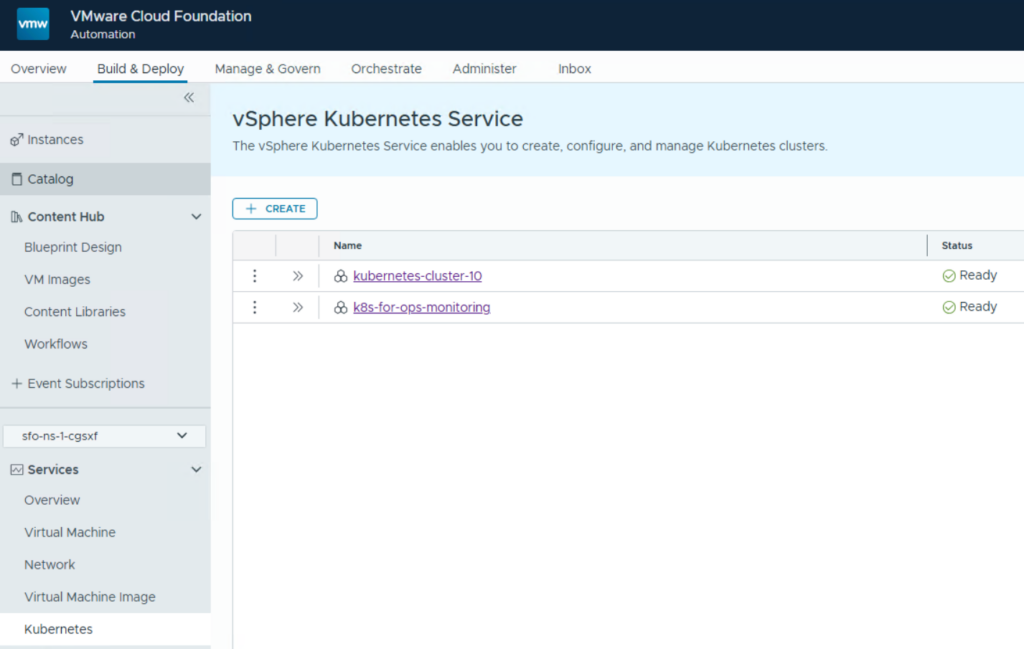
In general, a kubeconfig file is required to access a Kubernetes cluster. VCF Automation provides 2 methods to retrieve that.
This blog shows both capabilities.
Kubeconfig download through CLI
This way the kubeconfig file is retrieved by the vcf cli command. The advantage compared to the download from the UI is that the authentication happens through the vcf cli command a valid token. It allows for revocation of the token and requires period re-authentication which enhances security. In the UI based download (explained below) the config file uses a kubernetes certificate for authentication which provides access to the cluster as long as the certificate is valid.
Install vcf cli
From CLI a couple of steps are required to get the kubeconfig file. First you require the vcf cli command tool to authenticate properly. Find here the details how to download and install the vcf cli tool.
The vcf cli tool manages Kubernetes contexts (apart from other functionality it includes). For this it is maintaining its own database file that includes all known contexts. On Windows this config.yaml file can be found under %USERPROFILE%\.config\vcf
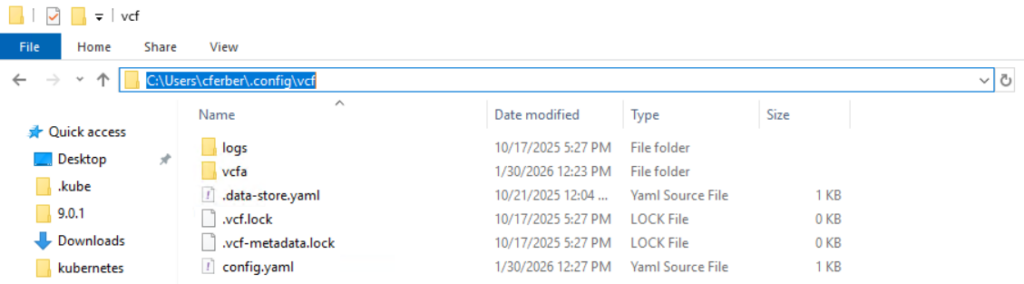
You should never modify the file as it will be fully maintained by the vcf cli tool. If you delete the file, all its known contexts are lost.
The more important part is that the vcf cli tool also maintains the Kubernetes context in the default kubeconfig file of the system. On Windows this file is stored under %USERPROFILE%\.kube\config
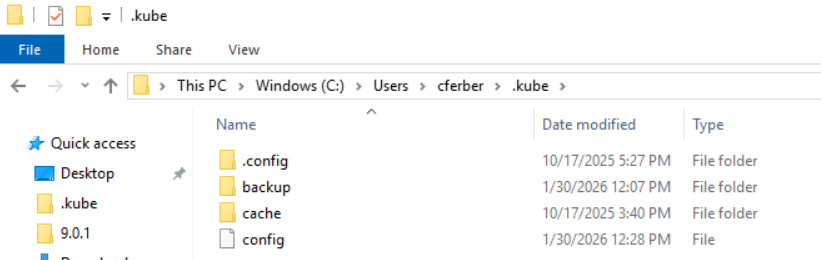
Whenever you execute a kubectl command and don’t specify a config file explicitly, the contexts from this file are used.
The best practice in a vSphere Kubernetes environment is also to not touch this file and let vcf cli maintain it.
Retrieving API token
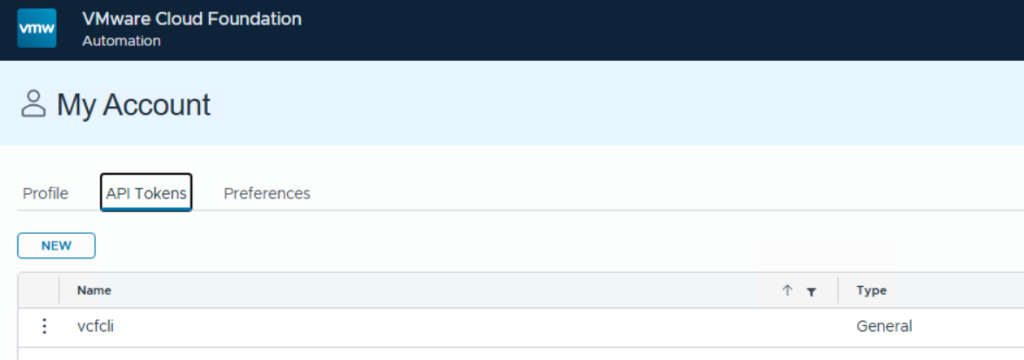
Before using the vcf cli you must generate an api token for the requesting user.
Retrieving fleet certificate
Next log on to the provider interface of VCF Automation (system tenant) and download the restbaseuri.1 certificate to the folder where you execute your vcf command from.
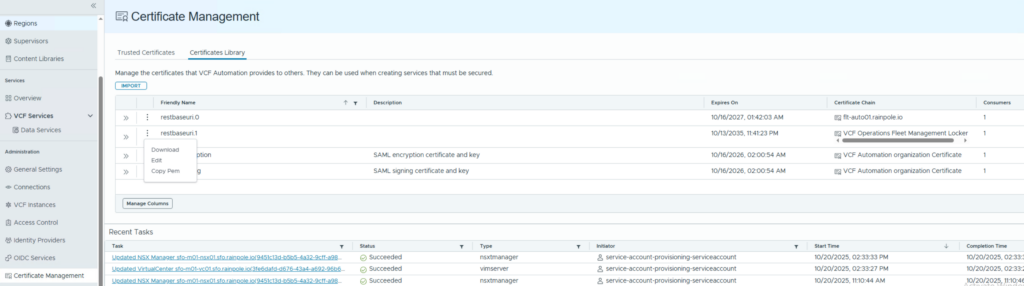
I renamed the file to “fleet-ca.crt” for easier usage.
Adding automation namespace context
As next step use a command line to execute the vcf cli command for adding a context to the config file.
vcf context create <entry name> --endpoint <automation URL> --type cci --auth-type basic --tenant-name <org name> --ca-certificate ./fleet-ca.crt --api-token <token>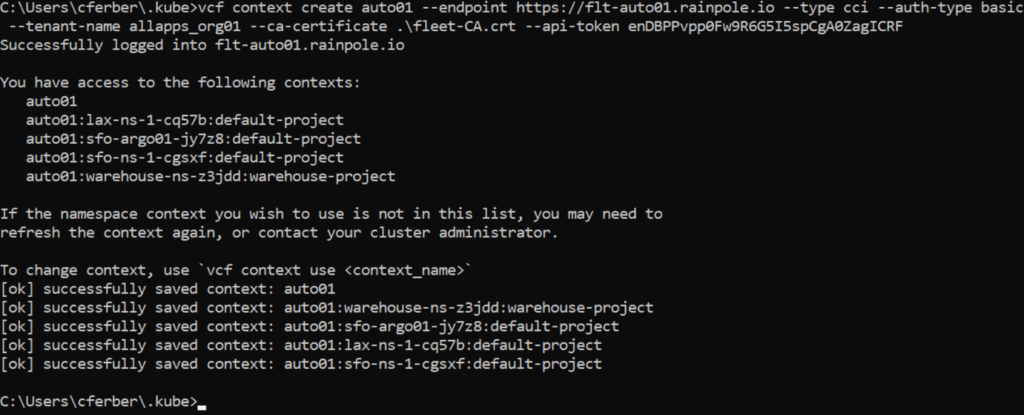
This will populate the kubeconfig file with the listed contexts that represent the namespaces in the related projects. It will not add the config for kubernetes clusters within the namespaces.
Now switch to the namespace which includes your kubernetes cluster.
vcf context useSelect the required context.


Adding kubernetes cluster context
As we are in the namespace context now, we can list all available kubernetes clusters.
kubectl get cluster
Before adding the cluster to kubeconfig we need to register the authenticator which allows the vcf cli to authenticate the kubernetes cluster using pinniped capabilities.
vcf cluster register-vcfa-jwt-authenticator <cluster name>
To populate the kubeconfig file with the cluster details issue below command.
vcf cluster kubeconfig get <cluster name>
List all available contexts
kubectl config get-contexts
You can see the available contexts which include the new kubernetes cluster. Also active context is marked by an asterisk.
Switching context:
kubectl config use-context <context name>
After that you can issue any kubectl command which will be executed against your kubernetes cluster.
kubectl get nodes
Adding context to vcf cli
In addition, you can add the context to the vcf cli command as well. This is mostly for convenience as it provides a good overview of all contexts and allows selecting the required one by scrolling through a menu.
To add the context use below command and specify the context name as shown in the previous kubectl get-contexts command.
vcf context create kubernetes-cluster-10 --kubeconfig <path to kubeconfig> --kubecontext vcf-cli-kubernetes-cluster-10-sfo-ns-1-cgsxf@kubernetes-cluster-10-sfo-ns-1-cgsxf
Listing the contexts will now show the kubernetes cluster as well and allows switching to it.

Downloading kubeconfig file (Option)
As an option you can download the kubeconfig file for the kubernetes cluster as separate file. This might be useful if you want to directly point the kubectl command to it or if you want to manually embed it in another file.
vcf cluster kubeconfig get <cluster name> --export-file <path to default kubeconfig>
If you specify the default config file as target, it will not overwrite the file but just add the respective context.
Be aware that even if you use the file directly, it will still require the vcf cli to authenticate through the api token. This is different compared to downloading the file from UI (see separate section). If you download the file from UI, it will not have a dependency on the vcf cli and will use direct authentication through a certificate.
Kubeconfig admin file download through GUI
The UI directly provides the day-2 management option to download the kubeconfig file when going into the details of the cluster:
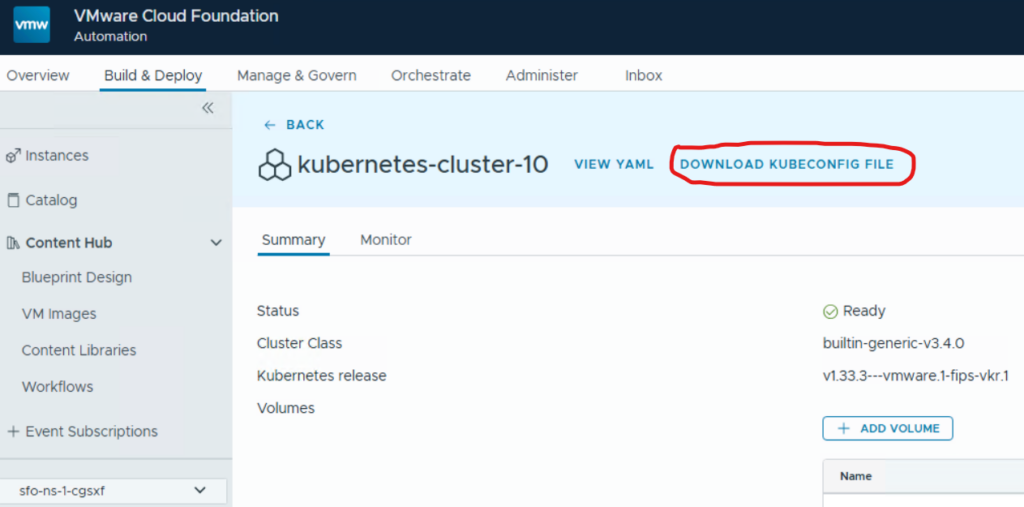
Using this method, you will get a kubeconfig file that contains certificates to authenticate against the kubernetes cluster. It will not require the vcf cli command or a token to authenticate. The downside of it is that if somebody has the kubeconfig file, he will have admin access to the cluster as long as the certificate is valid, while through vcf cli it always requires an active token to use it.
If the config file has been downloaded, you can directly use it with a kubectl command:

In addition, you can replace the default kubeconfig file in the %USERPROFILE%\.kube directory with it. When doing so, no context switch or specification of a file is required. Kubectl will always use this cluster to access. Be cautious to not overwrite a default kubeconfig which is managed by vcf cli as this will cause inconsistencies related to the vcf cli database!
Kubeconfig admin file download through CLI
Like the UI download above there is also an option to download the admin kubeconfig file through CLI without the need to use the vcf cli command. For this you need to use the VCF Automation proxy api which, however, is not included in the official documentation. To find out the appropriate command you could use the browser developer view to see which command the UI is using.
I created a linux bash script which downloads the kubeconfig based on the parameters provided as variables in the file. Following variables must be populated:
BASE_URL=”<fqdn of Automation appliance”
ORG_NAME=”<org where the Kubernetes cluster has been deployed>”
NAMESPACE=”<namespace where the Kubernetes cluster has been deployed”
CLUSTER_NAME=”<Kubernetes cluster name>”
REFRESH_TOKEN=”<user api token or service account api token>”
Just download the file, unzip the script, populate the variables in it, make it executable and run it. If all runs fine, you will find a “config” file in the same directory.
Have fun!

- VCF 9 – Management Domain with vSphere 8 - 1. April 2026
- VCF 9 – VKS Clusters with External-DNS - 19. February 2026
- VCF 9 – VKS Clusters with Contour - 16. February 2026
Pingback: VCF 9 – VKS Clusters with Contour » vrealize.it - TechBlog VMware SDDC